Monthly
€125per project per month
Pay for each month separately.
Choose monthlyWorkPilot Construction
For main contractors and project managers: jobs on floor plans, schedule, subcontractors and supervision in one place. The site diary, acts and payment certificates come from the same data.
The demo opens in your browser, no account needed.
The project manager sees every job on the floor, a subcontractor sees their own.
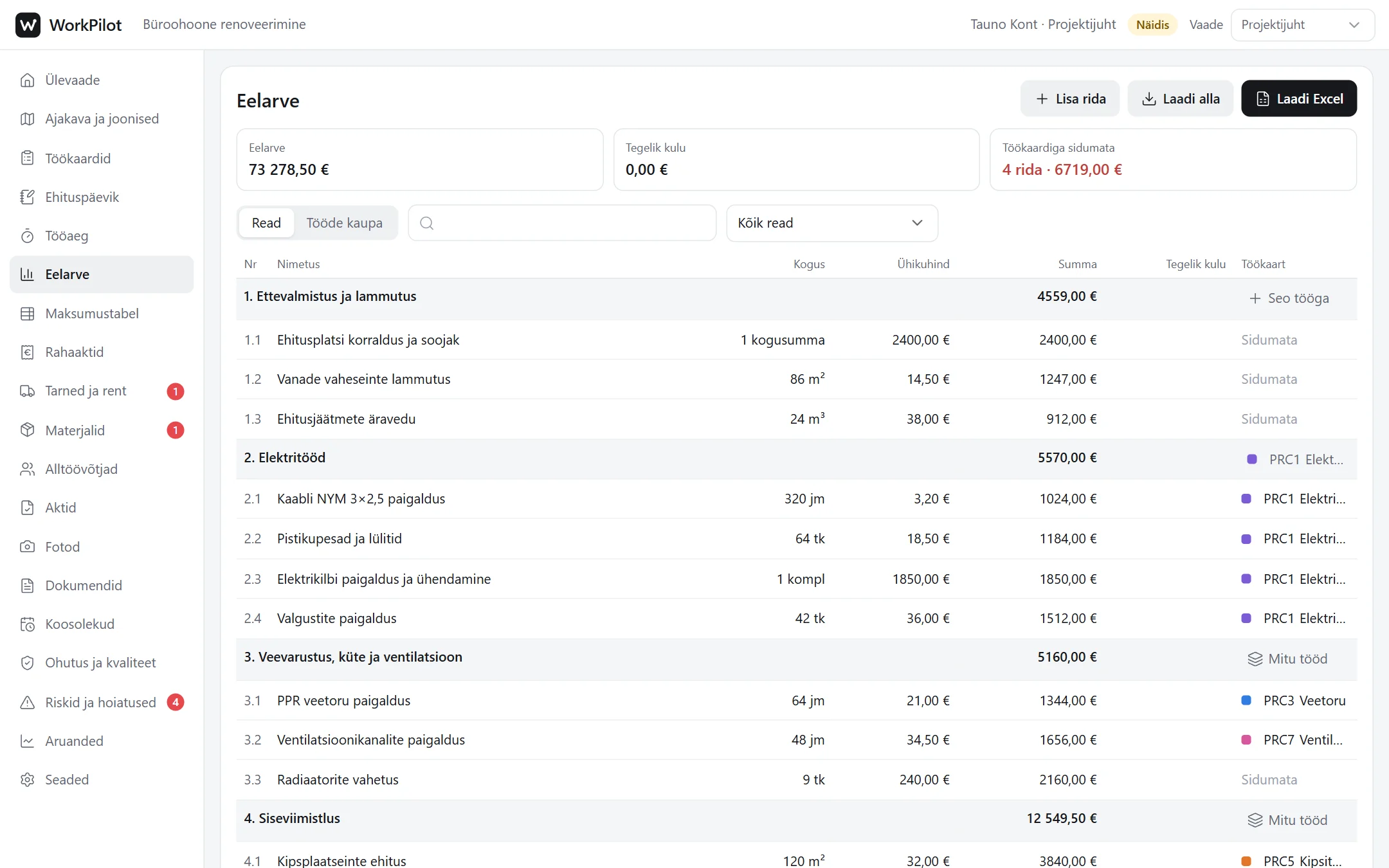
Upload floor plans as PDF and the budget from Excel. Link budget sections to work cards.
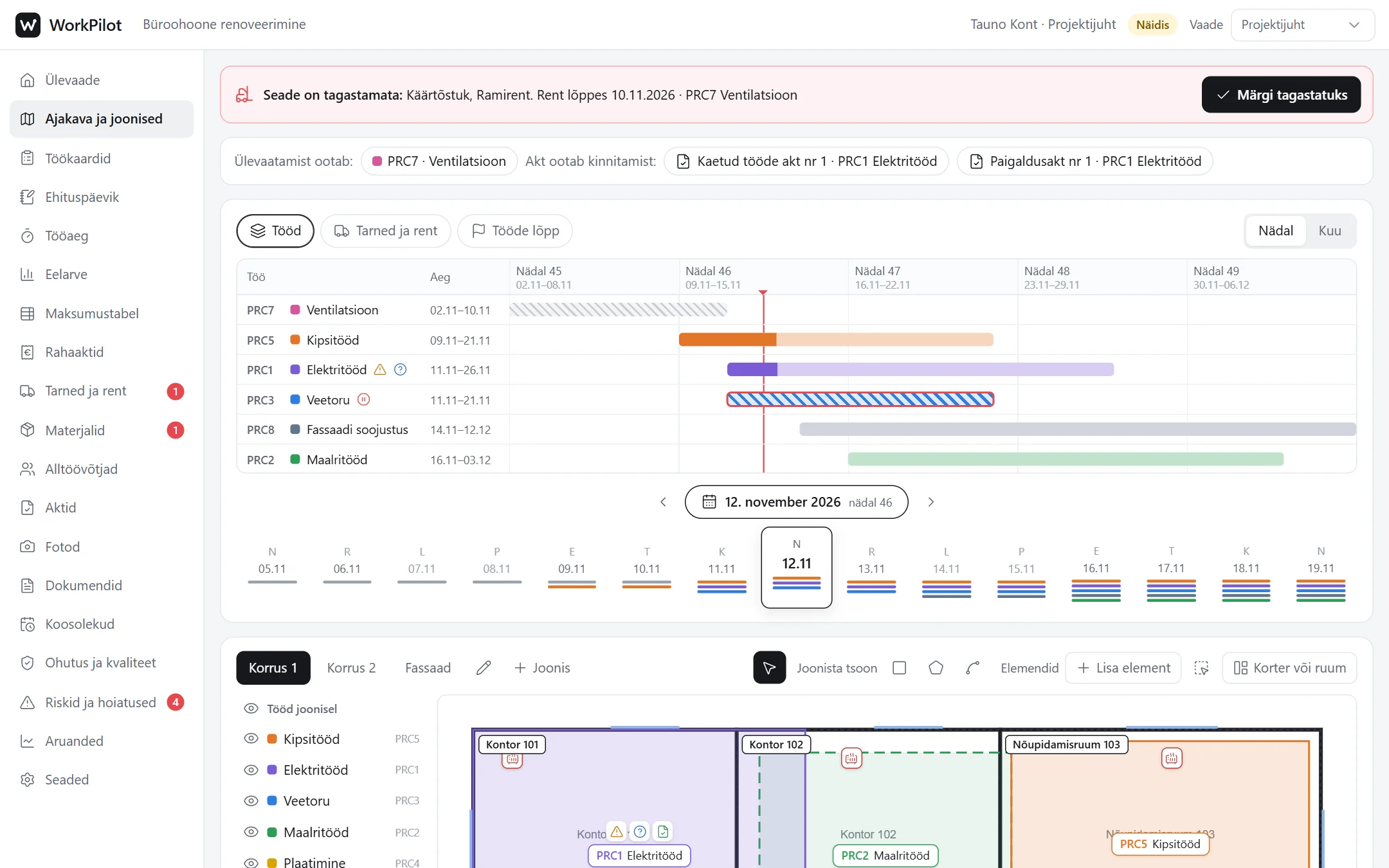
Draw each job’s zone and set the dates. The work type sets the colour, and the Gantt chart and plan show the same day.
Invite subcontractors, the site manager and the supervisor by email. Workers can also sign in with an 8-digit code, no email needed.
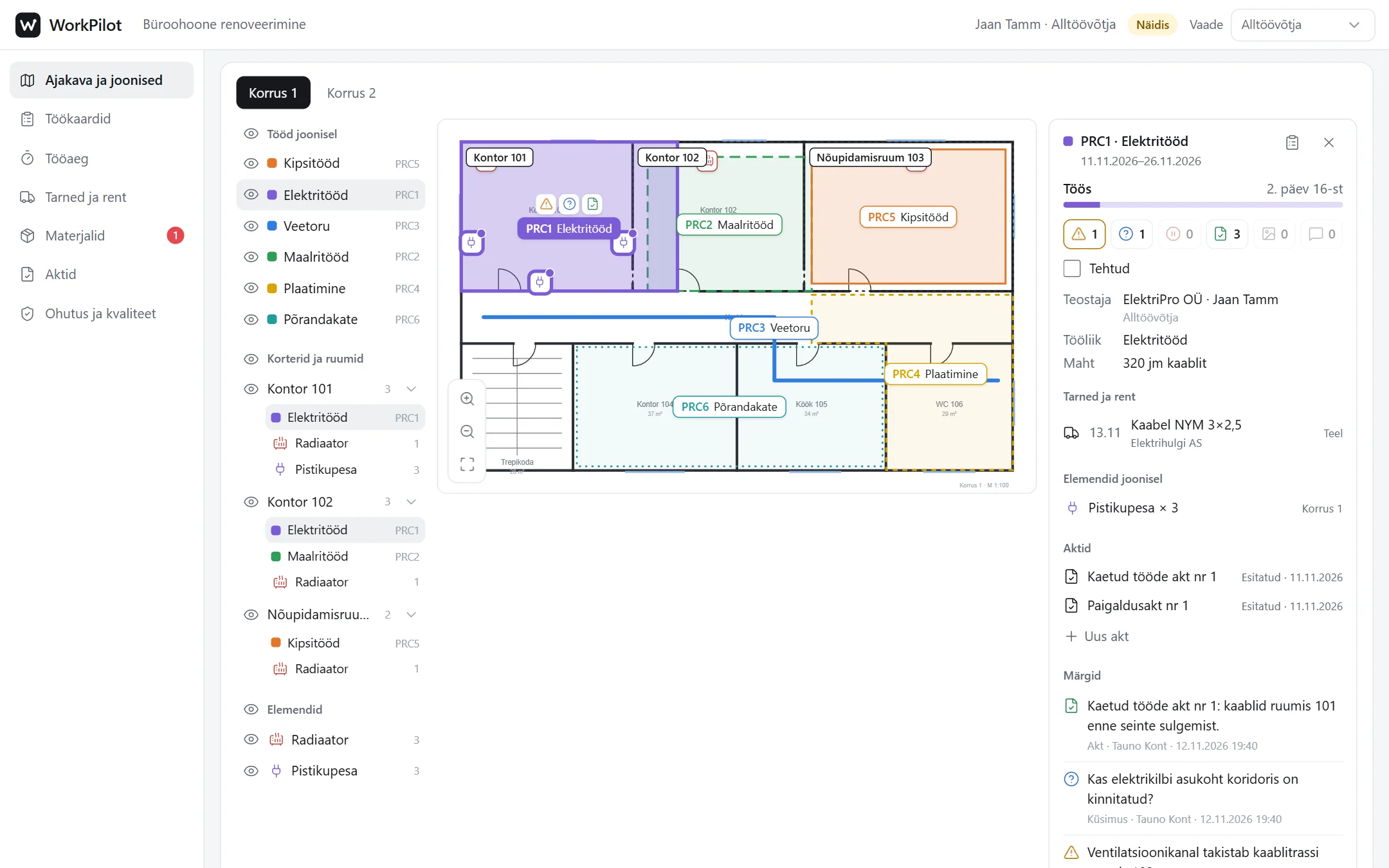
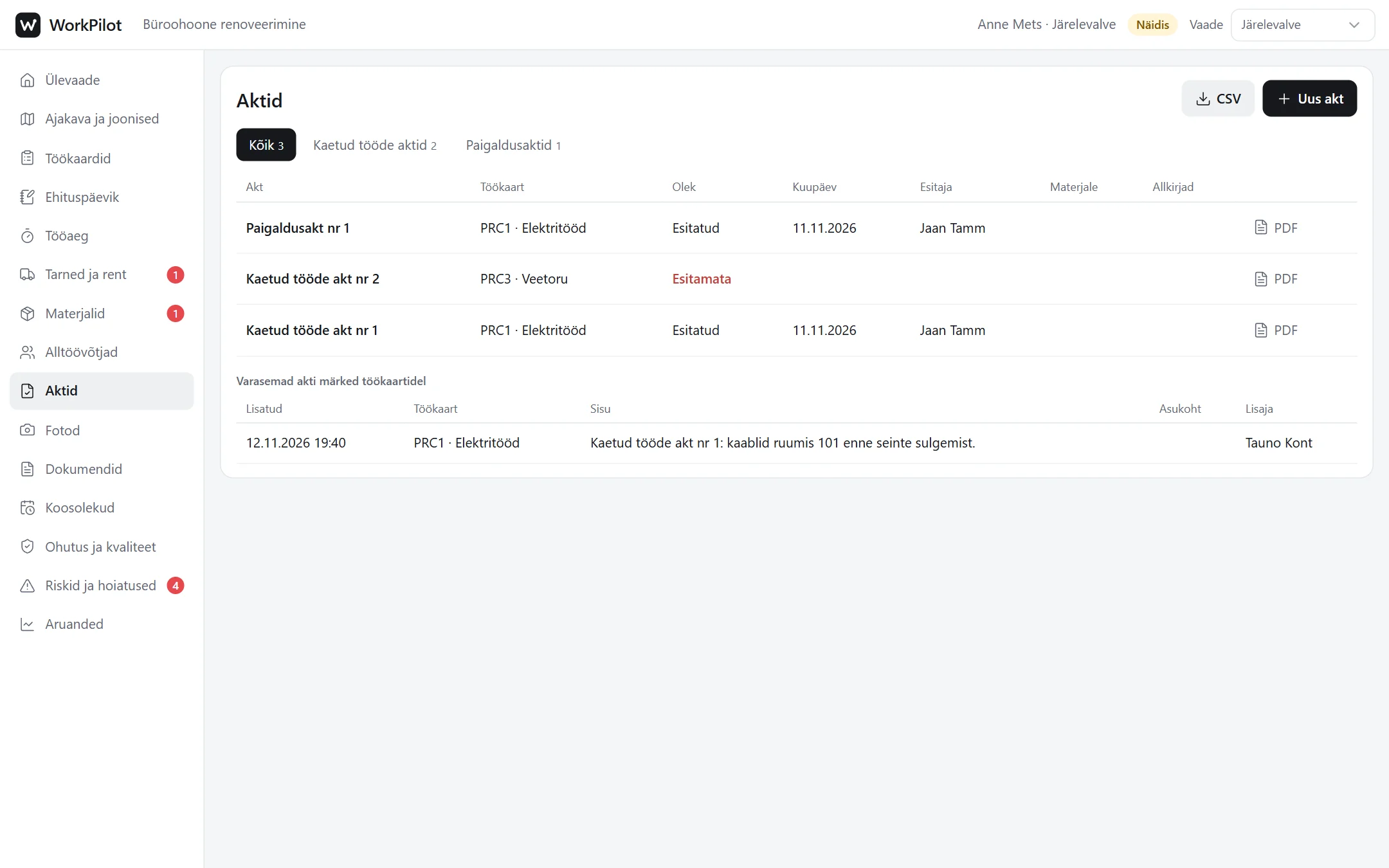
Remarks, photos and warnings go to the right place on the plan. The supervisor requests an act, the subcontractor fills it in and the supervisor approves it.
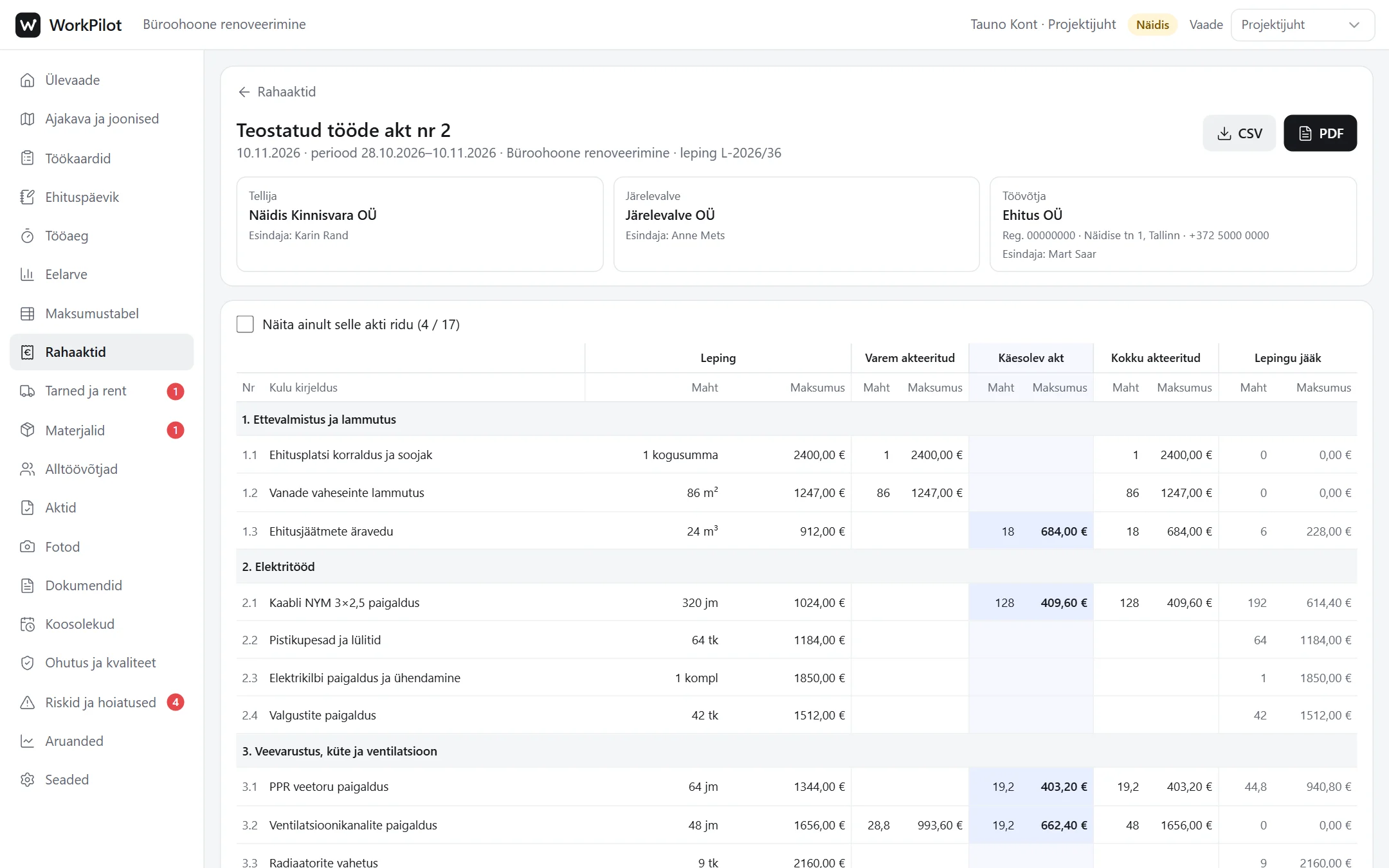
Mark completed quantities in the cost table and draw up the payment certificate. The site diary’s monthly PDF is one click.
The handover package gives you the site diary, acts and documents in one ZIP file.
Videos
The videos show real clicks in the demo project. There is no sound, and the on-screen explanations are in Estonian.
The project manager updates the completed quantity in the cost table, ticks the lines for the payment certificate and uses the reserve. The certified amount and contract remainder update by themselves.
The supervisor adds a remark to the work and requests a covered work act. The subcontractor fills in and submits the act, and the supervisor approves it.
The subcontractor marks the work as done, and the supervisor sends it back with a reason and a new deadline. After the fix the work is accepted, and the whole course stays in the work card’s history.
Pricing
One price per project per month. Add as many workers, subcontractors, supervisors and clients as you need.
€125per project per month
Pay for each month separately.
Choose monthly€108per project per month
€648 up front, you save €102.
Choose 6 months€99per project per month
€1,188 up front, you save €312.
Choose 12 monthsPrices exclude VAT.
The entry fields follow regulation no. 3 of the Minister of Economic Affairs and Infrastructure of 14.02.2020. Signing is done with DigiDoc: download the monthly PDF, sign it and upload the .asice file back to WorkPilot.
One site you manage: a construction site, a house, a managed building or a landscaped area. A project can have several floors, plans and maps.
No. Everyone in the project is included in the price and there is no limit: project managers, site managers, subcontractors, workers, supervisors and clients.
Yes. The demo project opens in your browser without an account. In the demo you can switch views (project manager, subcontractor, supervisor, client) and click through everything. Nothing is saved.
Yes, in the phone’s browser. There is no app to install. Workers start and stop their working time there and add photos and remarks.
The interface is in Estonian, Russian and English, and everyone picks their own. The site diary, acts and other PDFs are in Estonian.
The handover package gives you the site diary, acts and documents in one ZIP file. Tables can also be downloaded as CSV.
For house builders. The client has their own view, proposals in their language.
More about HomesFor property managers. Flats, equipment, maintenance firms and residents.
More about PropertyFor landscaping firms. Map, areas, crews on the phone and working time.
More about LandscapingOrdering
Tell us which project you are starting with. We reply by email and open the project.